Smartphones today store a lot of personal information. We open banking websites, email accounts, social media, and many private pages directly on our phones. Safari on iPhone has a Private Browsing mode that helps hide search history and website data. But many users do not know that private tabs can still be opened easily if someone gets access to their phone.
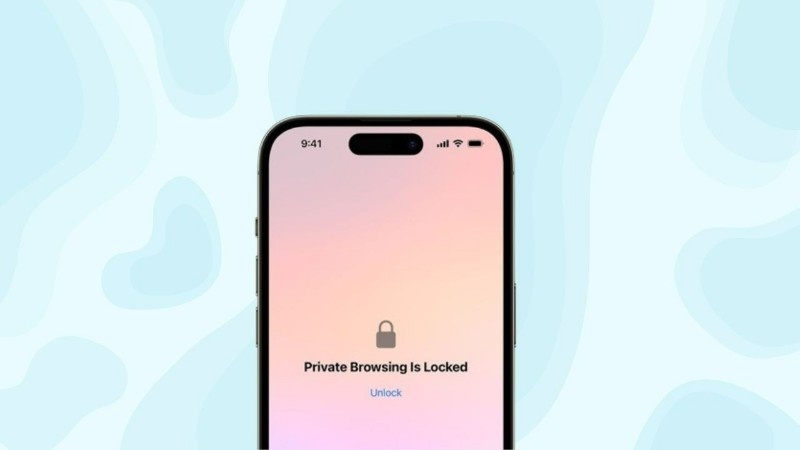
To solve this privacy issue, Apple added a new safety feature. Now you can lock Safari private tabs using Face ID, Touch ID, or your phone passcode. This means even if someone unlocks your iPhone, they still cannot see your private browsing pages without your permission.
In this article, I will explain everything in very simple English — what private tabs are, how the lock works, how to turn it on, and why this feature is useful for everyday users.
What Are Private Safari Tabs on iPhone?
Private tabs in Safari work like secret browsing windows. When you open a website in private mode:
- Safari does not save browsing history
- Cookies and site data are cleared when tabs are closed
This is useful when:
You search something personal, log in to accounts on shared phones, or do not want Safari to remember your activity.
However, earlier versions of iOS had one problem. If your phone was unlocked, anyone could open Safari and switch to private tabs. That means your open private pages were still visible.
Apple fixed this problem by adding a lock system.
How the Private Tab Lock Feature Works
When this lock is turned on, Safari will ask for Face ID, Touch ID, or your device password before showing private tabs. If the verification fails, the private tabs stay hidden.
The feature works automatically. You do not need any extra app or extension. It is fully built inside iPhone settings.
So now:
Even if someone knows your phone unlock code, they still need Face ID or another authentication to open your private Safari tabs.
This adds a second layer of privacy protection.
How to Turn On Private Tab Lock in Safari
The process is very simple. Just follow these steps:
- Open Settings on your iPhone
- Scroll down and tap Safari
- Look for the option that says Require Face ID / Touch ID / Passcode for Private Browsing
- Turn this option ON
After this, every time you open Safari private mode, your iPhone will ask for verification.
If your iPhone does not have Face ID or Touch ID, it will use your phone’s screen lock password.
Why This Feature Is Very Useful
Many people give their phones to children, friends, or family members to watch videos, take photos, or make calls. Without a private tab lock, someone could accidentally open your private browsing pages.
This feature helps in situations like:
- Someone borrows your phone
- Your phone is lost for a short time
- A friend opens Safari by mistake
Even if the phone is unlocked, private tabs stay protected.
It also gives peace of mind. You do not need to close private tabs again and again. They stay safe automatically.
Does This Affect Normal Safari Browsing?
No. Normal Safari browsing works exactly the same as before. Only private tabs need authentication. Face ID or Touch ID works fast, so there is no delay in usage.
Battery and performance are not affected.
Extra Tips to Improve iPhone Privacy
Locking private tabs is a good start. You can also improve privacy by:
- Clearing Safari history regularly
- Turning off saved passwords for sensitive sites
- Avoiding auto-fill on shared devices
These small steps help keep your personal data safe.
Common Questions
Will this lock work after restarting the phone?
Yes. The lock remains active after restart.
Can I turn it off anytime?
Yes. Just go back to Safari settings and switch it off.
Is this feature available on all iPhones?
It works on iPhones running newer iOS versions. Most modern iPhones support it.
Final Thoughts
Online privacy is becoming more important every day. Many people use private browsing but forget that open private tabs can still be seen if the phone is unlocked. Apple’s private tab lock feature solves this issue in a very simple way.
By turning on Face ID, Touch ID, or passcode protection for Safari private tabs, you make sure your personal browsing stays personal. It is a small setting, but it gives strong privacy protection.
If you care about keeping your browsing safe, this feature is worth enabling today.