Today, many people want their Android phone to look different and more attractive. A simple wallpaper is not enough anymore. Users now prefer live wallpapers, smart lock screens, and useful widgets. This is where the Mico app becomes very helpful. Mico is an Android app that allows users to create beautiful 4K live wallpapers and also add smart widgets on the lock screen.
Mico is designed for users who want style and usefulness together. You do not need any technical knowledge to use this app. Everything is simple and easy to understand, even for new Android users.
What Is the Mico App?
Mico is a live wallpaper and lock screen widget app made for Android phones. It helps you change the look of your phone using high-quality visuals and smart features. With Mico, you can use ready-made wallpapers or create your own live wallpapers using images, colors, and simple effects.
The app also lets you place useful information on your lock screen. This means you can see important details without unlocking your phone again and again.
Simple and Easy Interface
One of the best things about Mico is its clean and user-friendly interface. When you open the app, everything is clearly shown. Options are easy to find, and the layout is not confusing. Even if you are using this type of app for the first time, you can understand how it works in a few minutes.
You can change wallpapers, manage widgets, and adjust settings with just a few taps. There is no need to watch long tutorials or read complex guides.
4K Live Wallpaper Maker Feature
Mico is popular mainly because of its 4K live wallpaper maker. The wallpapers look sharp, smooth, and modern. You can select from many built-in designs, or you can create your own wallpaper using photos, gradients, and animations.
The app allows you to preview wallpapers before applying them. This helps you choose the best look for your phone. The live wallpapers run smoothly and do not make the phone slow if used properly.
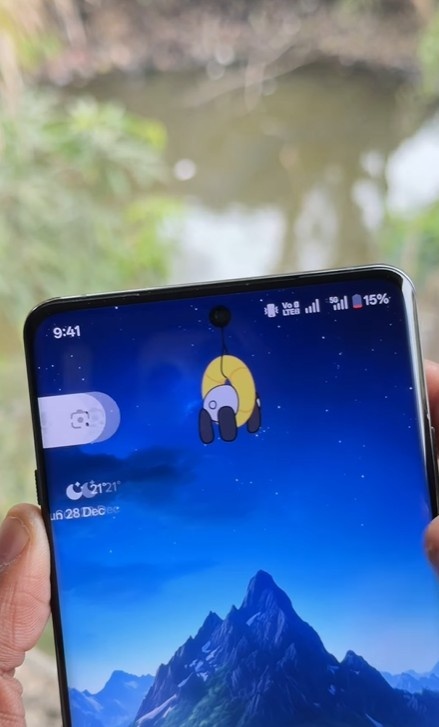
Smart Lock Screen Widgets
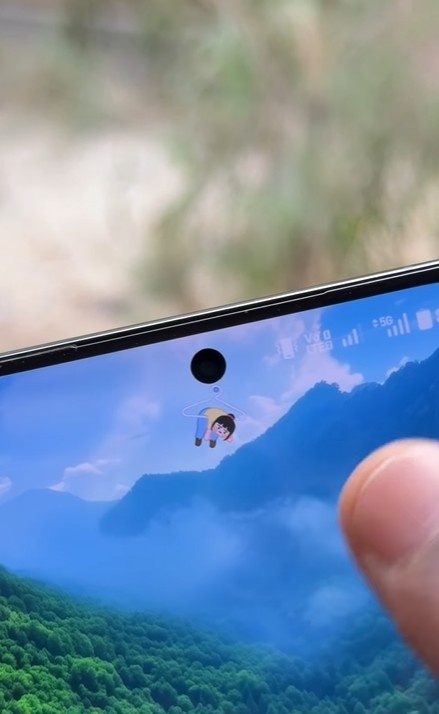
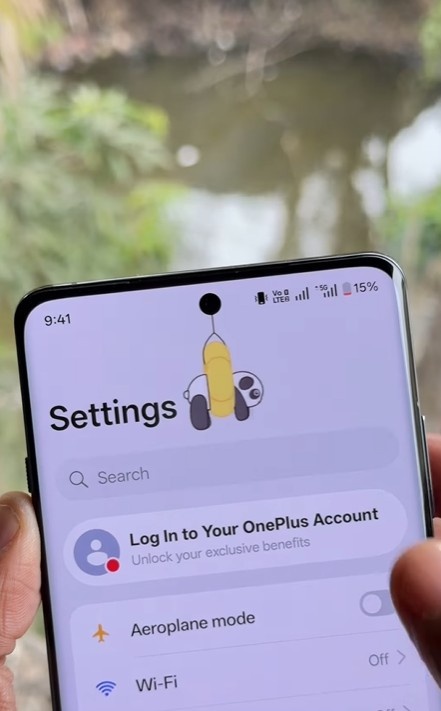
Another strong feature of Mico is smart lock screen widgets. These widgets allow you to see useful information directly on the lock screen. You can add widgets like time, date, battery level, notifications, and more.
The good part is that you can customize these widgets. You can change their size, color, and position according to your choice. This makes your lock screen both useful and stylish.
Install
Battery and Performance Experience
Many users worry that live wallpapers can drain battery fast. Mico is designed to reduce this problem. The app uses optimized animations and does not run unnecessary background processes. Because of this, the battery usage stays under control for most users.
If you choose simple wallpapers and limited widgets, the app works smoothly without affecting phone performance much.
Who Should Use the Mico App?
Mico is best for users who like to personalize their phone. If you enjoy changing wallpapers often or want a smart lock screen, this app is a good option. It is also useful for content creators who like to show creative phone setups.
People who want a modern and premium phone look without spending money on themes will also find this app helpful.
Final Words
Mico – 4K Live Wallpaper Maker & Smart Lock Screen Widgets is a useful Android app for phone customization. It offers a good balance between beauty and functionality. The app is simple, beginner-friendly, and packed with useful features.
If you want to give your Android phone a fresh and stylish look with live wallpapers and smart widgets, Mico is definitely worth trying.